

Your readers are yours. Iloris does not own or gatekeep your relationship with them. Fan Clubs give each story a place for updates on Iloris and a path into a Discord community you control.
A community you can keep
Publishing plans change. You may stop using Iloris, publish on Amazon, or sign an exclusive contract. Readers who join your Discord can remain in the community you built because your Discord server is separate from Iloris.
That portability only applies to readers who join your Discord. Iloris does not export an identity or contact list for readers who only join a Fan Club on Iloris.
How it works
Each story has its own Fan Club. A reader can:
- Select Join on the story page.
- Read your manual updates and optional chapter release alerts on Iloris.
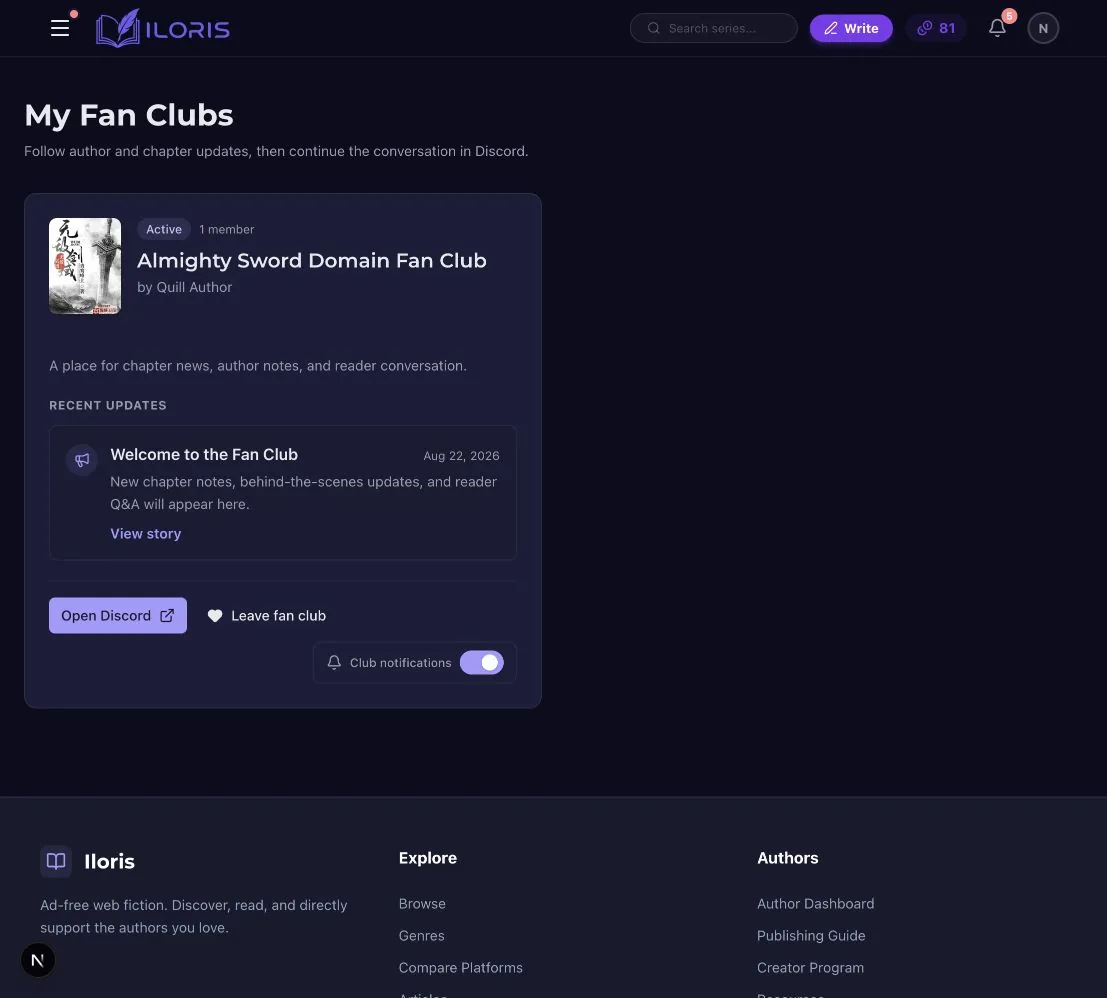
- Find the story in My Fan Clubs.
- Select Open Discord when you have added a reader invite.
Joining on Iloris and joining Discord are separate actions. Readers can follow the Iloris updates without joining Discord.
What readers see
Before joining, readers see the Fan Club on the story page and can select Join.
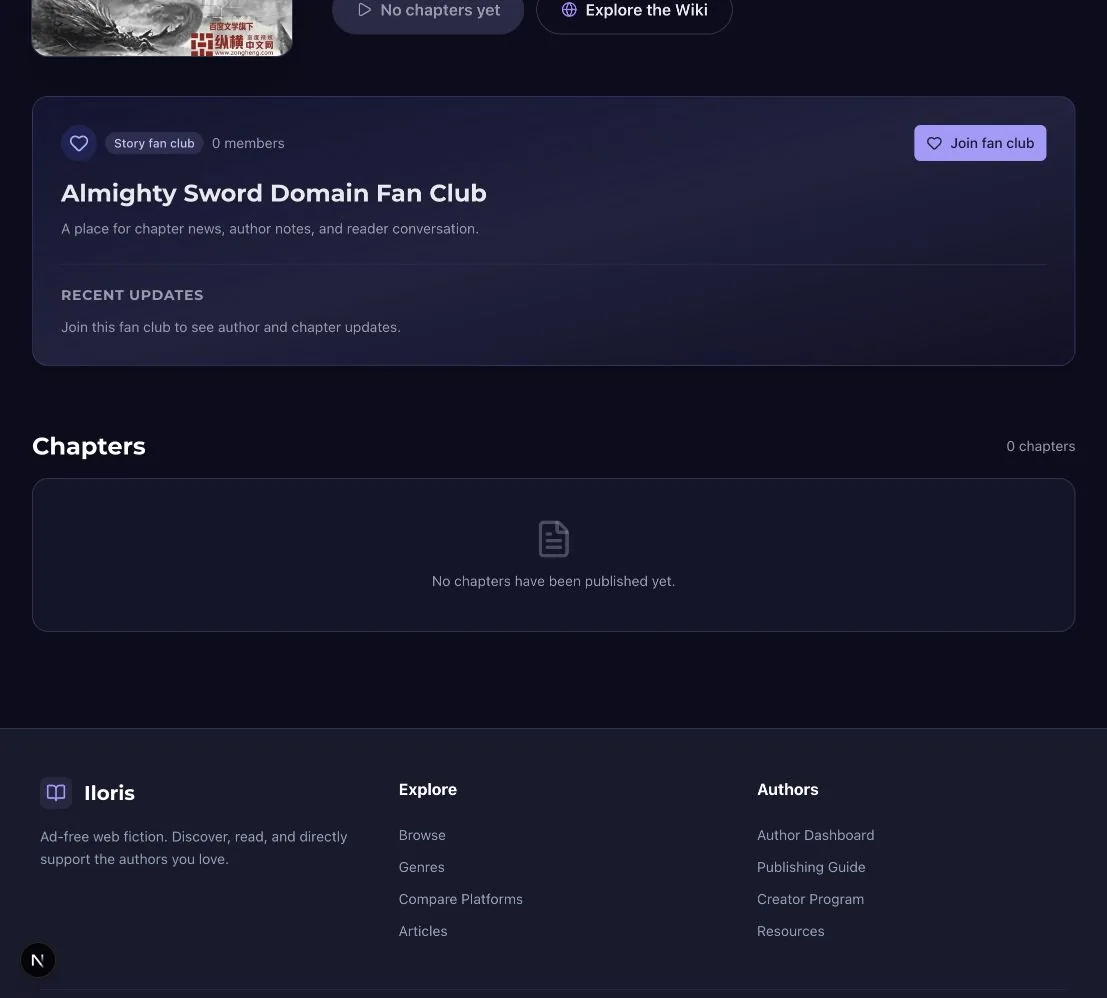
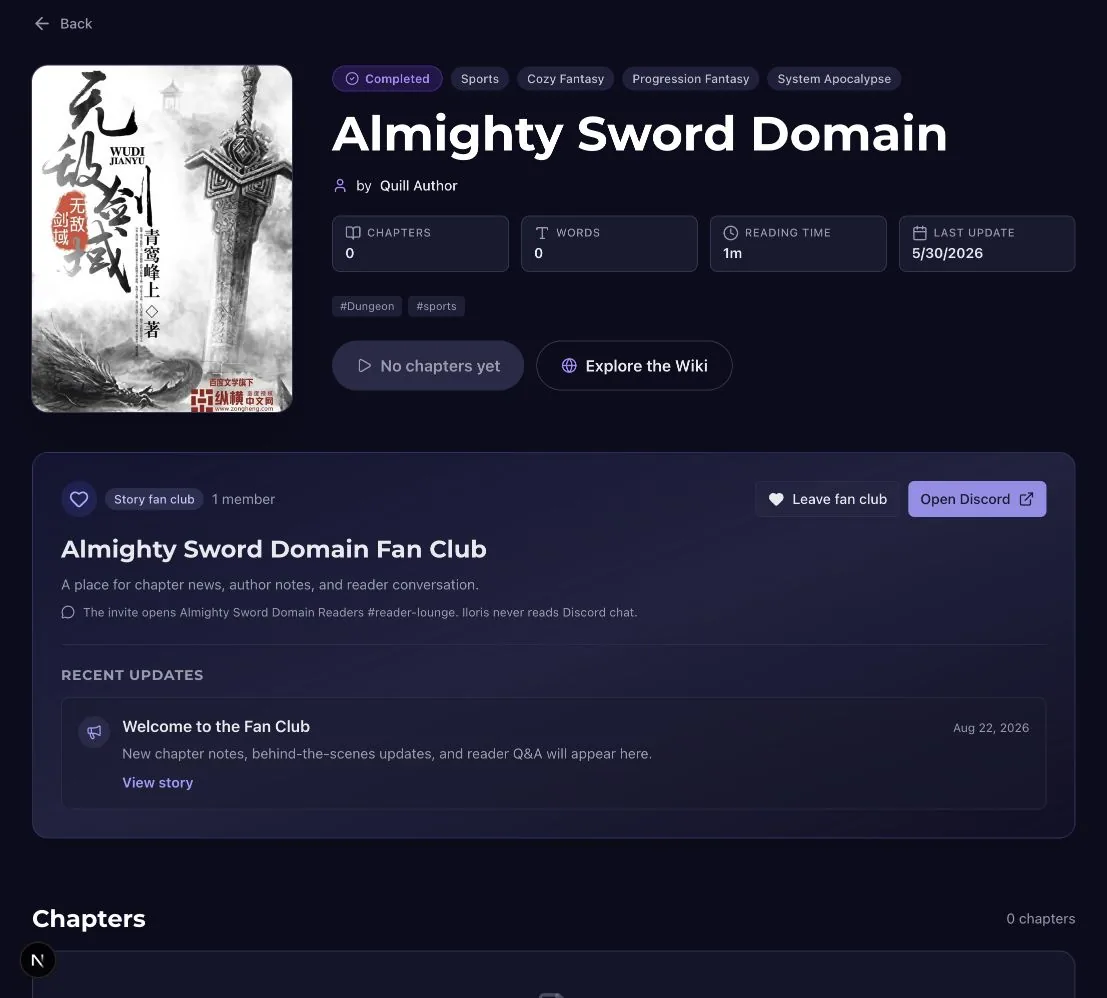
After joining, they can see recent updates, leave the Iloris Fan Club, or open your Discord when an invite is available.
My Fan Clubs brings the clubs and newest updates from different stories into one reader feed.
What you manage
Your story's Fan Club page is the author dashboard.
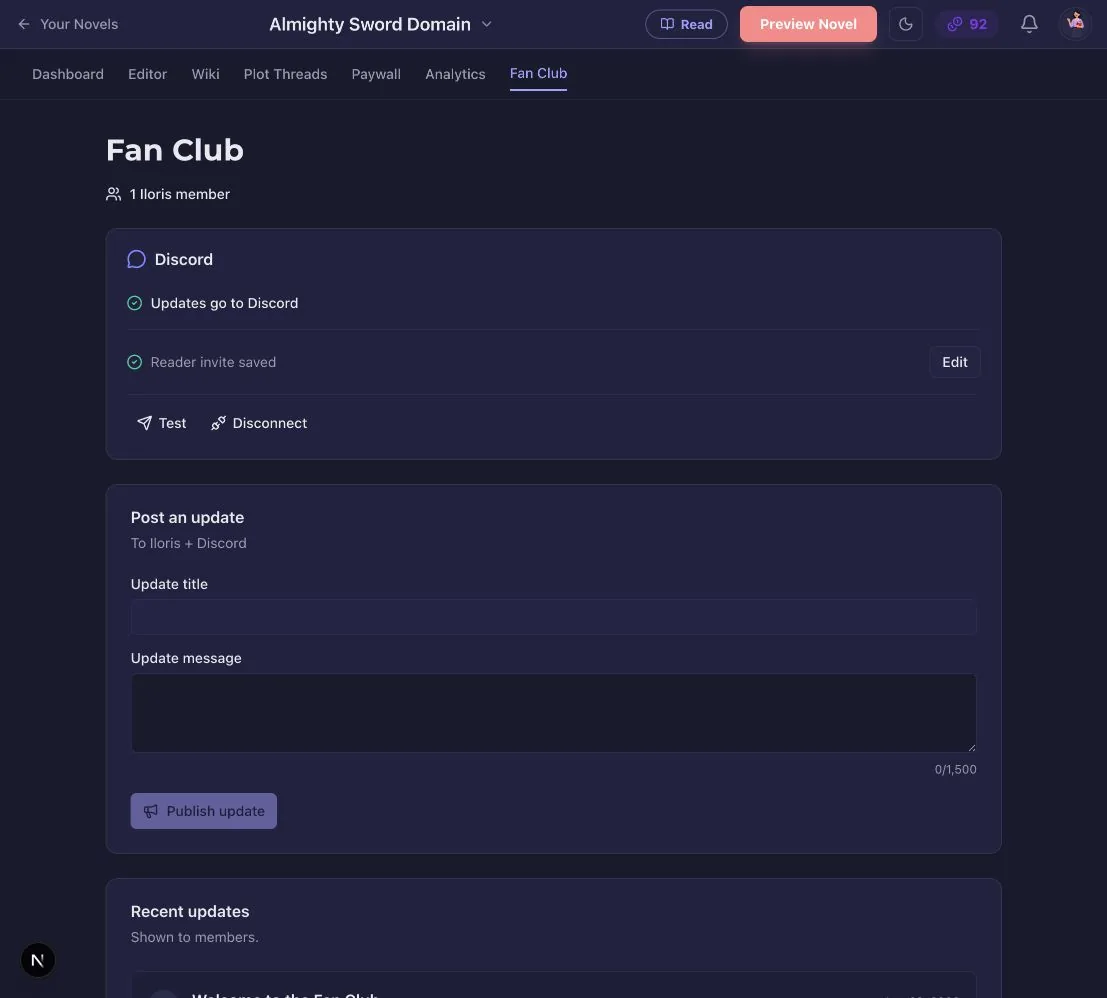
From here, you can:
- Write announcements for your readers.
- Turn automatic chapter release alerts on or off.
- Connect Discord and choose where Iloris posts.
- Add or replace the Discord reader invite.
- Pause the Fan Club or disconnect Discord at any time.
The member count is Iloris memberships for this story only. Discord members do not increase that number.
Discord is still Discord
We chose Discord because it is an established home for online communities. It already provides channels, roles, live chat, member permissions, and moderation tools, so you can run your community directly.
When you connect Discord, you select a server channel and Discord gives Iloris an incoming webhook for that channel. Iloris uses that webhook to send your Fan Club announcements and enabled chapter alerts. The reader invite opens your actual Discord server. Iloris does not read your Discord chat.
You continue to manage channels, roles, rules, moderators, and members in Discord. Disconnecting Iloris does not delete that community.
Pause or disconnect
Pause the Fan Club to hide it from the public story page, block new Iloris joins, and stop announcements and chapter alerts. Existing members still see the club in My Fan Clubs as unavailable, where they can leave or change notifications. Memberships, update history, settings, and the Discord connection stay saved. Alerts skipped while paused are not sent later. Anyone who already has the Discord invite can still use it because pausing Iloris does not revoke an invite managed by Discord.
Disconnect Discord to stop Iloris from posting and hide the reader invite on Iloris. The Discord invite itself remains active until you change or revoke it in Discord. Your Discord server, channels, members, and chat stay in Discord.
Before you invite readers
- Create a Discord server and a channel where readers should arrive.
- Add a welcome, community rules, and moderators appropriate for your audience.
- Connect that channel from your story's Fan Club page.
- Create a reader invite that does not expire or run out of uses.
- Test the invite in a private browser window, then publish a short welcome announcement.
You can begin with Iloris updates alone and add Discord later. The goal is to give your readers an easy way to stay connected—and give you a community you can keep building wherever your publishing path goes.